APIMart Officially Launches seedance-2-5-flash APIExplore Seedance 2.5 Flash: APIMart Officially Launches seedance-2-5-flash APIAPIMart Officially Launches seedance-2-5-flash APIExplore Seedance 2.5 Flash: APIMart Officially Launches seedance-2-5-flash API
AI pixel art generator: upload a character image and redraw it as a 16-bit fantasy game scene that keeps the hairstyle, outfit colors and accessories, with crisp pixels and a restrained palette. Switch between the 2 models below to compare real results, then generate with the preset settings.
Both models use the same prompt below and the same reference image, so you can compare the results directly. Click Use this example to load that model's settings and reference into the tool above.
Prompt
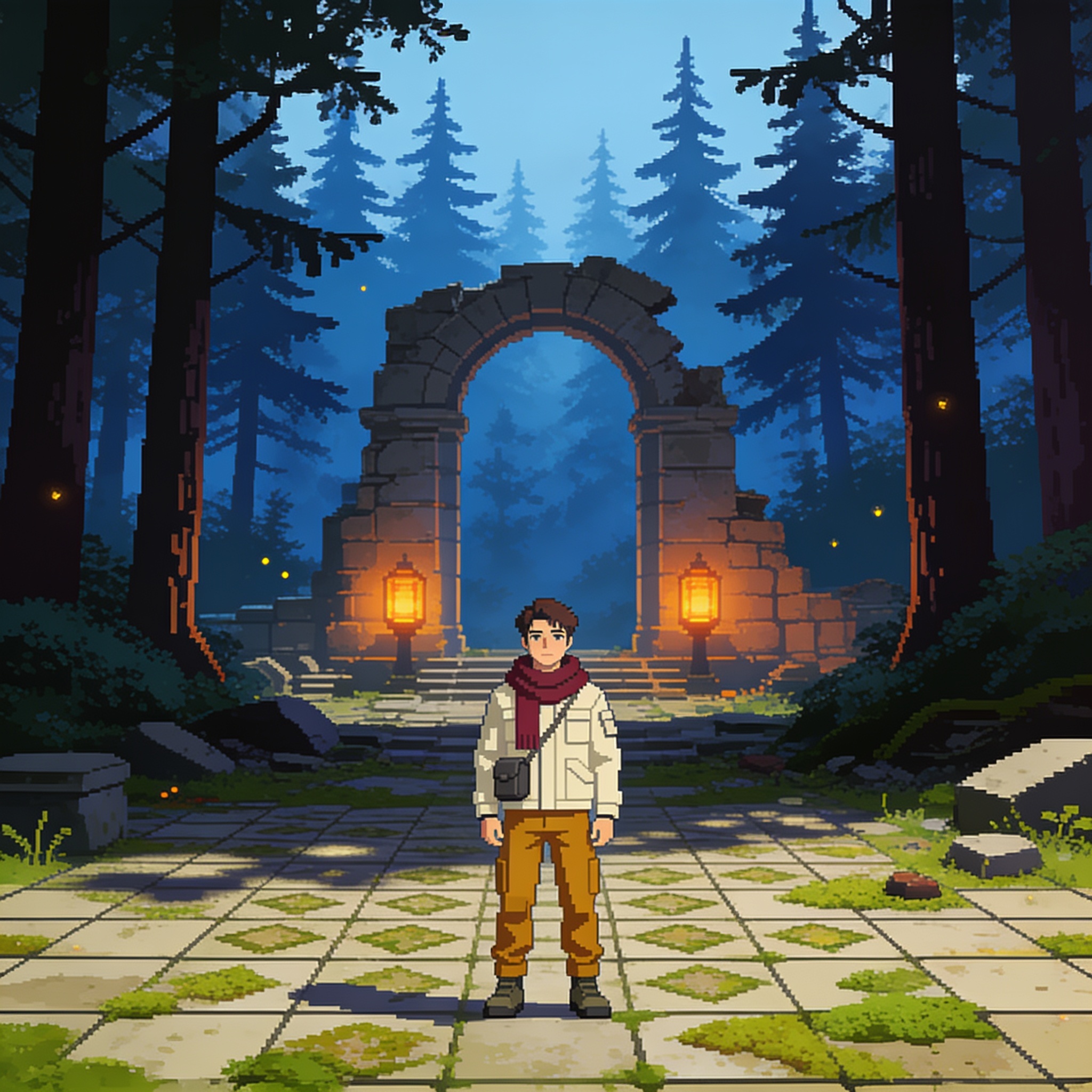
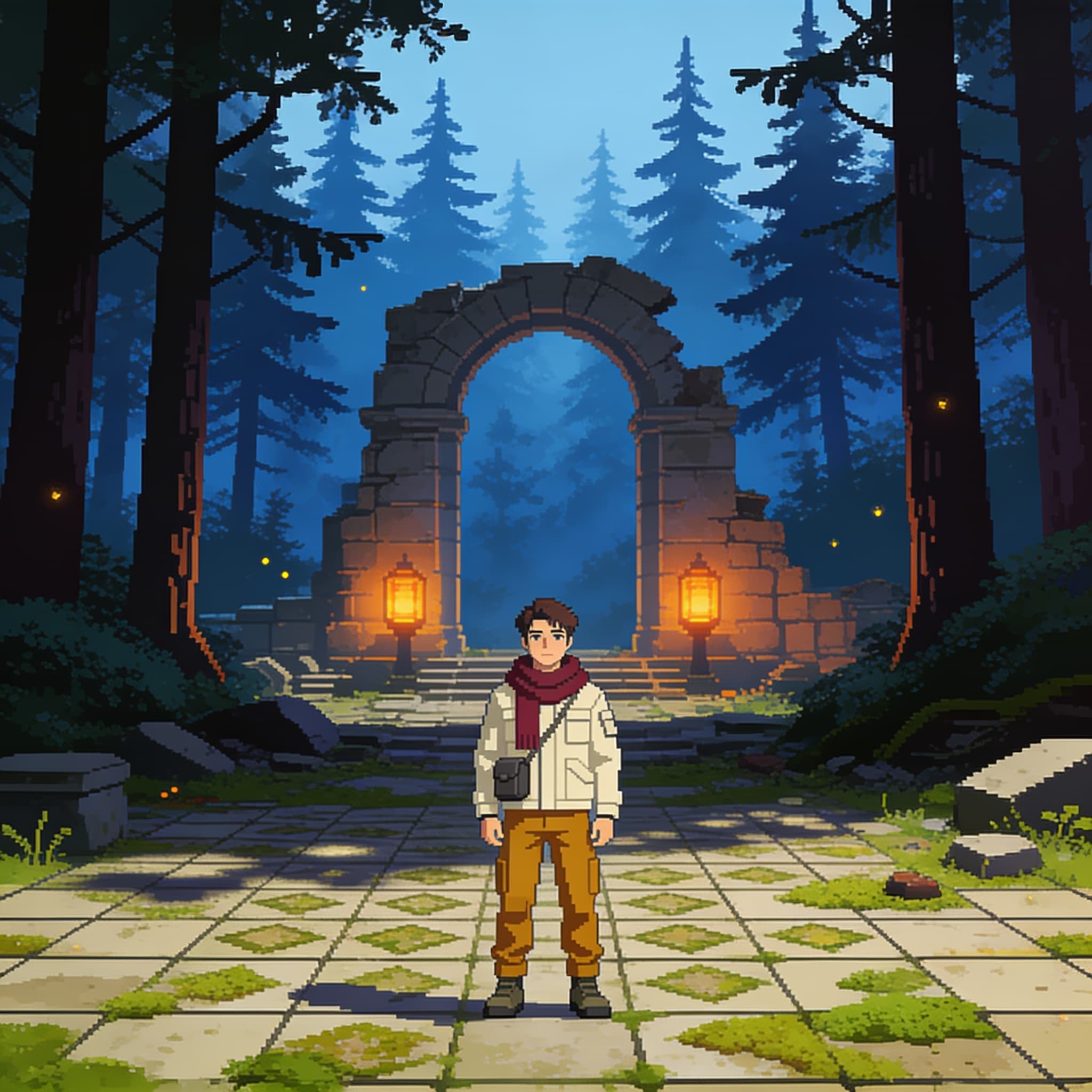
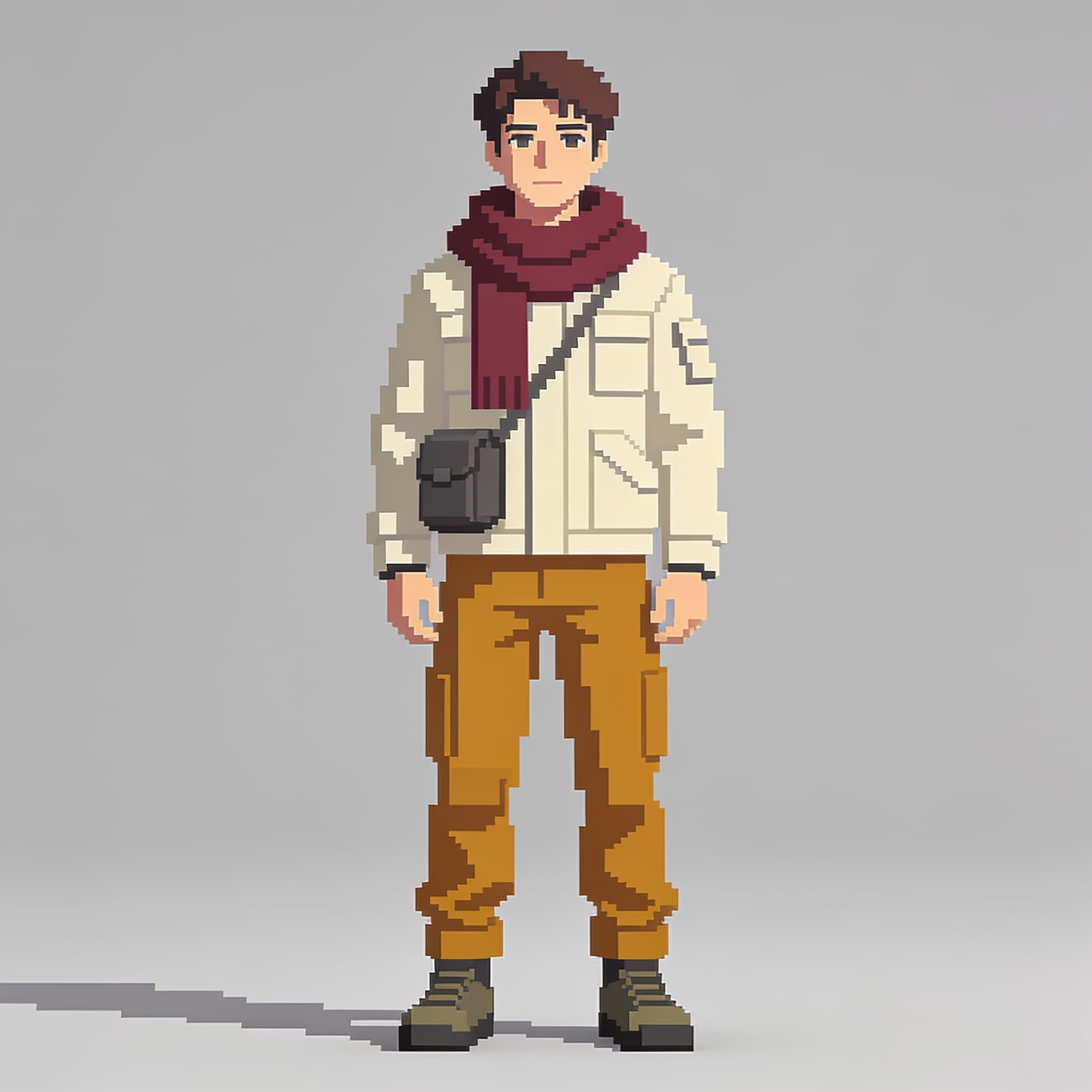
Reimagine the supplied original adventurer as a meticulously crafted 16-bit fantasy-game CHARACTER SCENE with authentic hand-placed pixel-art design rather than a blurry photograph pixel filter. Keep the character's recognizable short brown hair, ivory jacket, wine-red scarf, ochre trousers and charcoal satchel as crisp readable pixel clusters at a consistent scale. Put the hero in a richly layered forest-ruin clearing: patterned moss tiles in the foreground, broken stone archway and glowing amber lanterns in the middle distance, misty indigo conifers behind, a few tiny fireflies defining depth. Design using a disciplined limited color palette, believable 2D sprite proportions, careful clusters of shadow pixels, distinct outlines and coherent light direction. Build visual interest through tilework and miniature environmental details without sacrificing silhouette readability; composition should feel like a collector-edition independent RPG poster. No anti-aliased painterly blur, random UI text, copied copyrighted characters, floating inconsistent pixels or unnecessary weapons.
 Reference
 Reference
An AI pixel art generator redraws a character in a retro game style, for indie game concepts, pixel avatars and social posts.
This use case features an original adventurer. The preset keeps the short brown hair, ivory jacket, wine-red scarf, ochre trousers and charcoal satchel as crisp pixel clusters at one scale, and places them in a layered forest-ruin clearing with mossy tiles, a stone archway and amber lanterns, and misty conifers, using a limited palette and consistent light.
The preset asks for an original design and does not copy any game IP. Results vary with the reference image. You can also switch models above to compare the two.
Each example below is a real output of this use case's preset on that model. Switch to the model above to use it directly.
| Model | Strengths | Best for |
|---|---|---|
| Seedream 4.5 API | Same price for 2K and 4K, up to 15 images in and out | High-resolution pixel-art posters |
| MiniMax H3 Image API | 1K / 2K / 4K or custom pixels, up to 16 reference images, billed by tokens | Game assets at exact pixel sizes |
Upload an image with a clear character; distinct outfit colors work best.
The use-case prompt locks the pixel style and scene. Add the setting you want below it, such as a castle, a dungeon or a village.
Click Run to generate. Results appear on the right, and you can find them in History to reuse the settings.
The preset asks for hand-placed pixel clusters and a limited palette rather than a blurred photo filter, but the image is not a pixel-editable game asset and may need cleanup before use.
Yes. Only use photos of yourself or of people who have given permission; the preset keeps the outfit colors and hairstyle.
Yes. The use-case prompt is locked, but you can add a request below it, such as snowy mountains, a dungeon or a cyber city.
Both use the same use-case prompt and the same character reference to create a 1:1 pixel-art scene. Seedream 4.5 charges the same for 2K and 4K and handles up to 15 images in and out; MiniMax H3 Image is billed by tokens, offers 1K / 2K / 4K or custom pixels and takes up to 16 reference images. Switch models above to compare the pixel styles.
Yes. Every model offers an API with the same parameters as the web tool. Open the model page to see the request parameters and documentation for producing pixel characters in batches.
You can reach us via the live chat in the bottom-right corner, email us at [email protected], or join our Discord community. Our team will get back to you as soon as possible.